
Events
The menus and the items have callbacks, fired when the player interacts with the menu. This page also explains how to update a menu while it's displayed.
Callbacks
| Callback | On | Fired when |
|---|---|---|
onBeforeEnter | menu | Before the menu is displayed. The NUI waits for the end of the function before displaying the menu |
onEnter | menu | The menu becomes the current menu |
onExit | menu | The menu is no longer the current menu, or the menu is hidden |
onBack | menu | Backspace, Escape or the back arrow is pressed |
onChange | menu | The active item or a slider changes in the menu |
onTick | menu | Every frame, while the menu is displayed |
onActive | item | The item becomes the active item |
onClick | item | The item is clicked, or Enter is pressed on it. Not fired on an item with a child |
onChange | item | A slider of the item changes |
onExit | item | The item is no longer the active item, or the menu is hidden |
onTick | item | Every frame, while the item is the active item |
local menu = jo.menu.create("tailor", {
  title = "Tailor",
  onEnter = function(currentData)
    print("Welcome")
  end,
  onBack = function(currentData)
    jo.menu.show(false)
  end,
})

menu:addItem({
  title = "Stetson",
  sliders = { { title = "Variation", values = { 1, 2, 3 } } },
  onActive = function(currentData)
    -- preview the hat on the player
  end,
  onChange = function(currentData)
    local variation = currentData.item.sliders[1].value
  end,
  onClick = function(currentData)
    -- buy the hat
  end,
  onExit = function(currentData)
    -- remove the preview
  end,
})
menu:send()
Current data
All the callbacks receive the current state of the menu, also returned by jo.menu.getCurrentData():
| Key | Type | Description |
|---|---|---|
menu | string | The ID of the current menu |
index | integer | The index of the active item |
item | table | The active item, with its data, its sliders (and their value) and all its keys |
jo.menu.getPreviousData() returns the state before the last change.
Order of the events
| Action of the player | Events fired, in this order |
|---|---|
Open the menu with jo.menu.show(true) | menu onEnter, item onActive |
| Move to another item | old item onExit, new item onActive, menu onChange |
| Move a slider | item onChange, menu onChange |
| Click on an item | item onClick |
Open a sub-menu (child) | new menu onBeforeEnter, old item onExit, old menu onExit, new menu onEnter, new item onActive |
| Press Backspace | menu onBack, then the same events as a sub-menu, to the previous menu |
Hide the menu with jo.menu.show(false) | menu onExit, item onExit |
When the player scrolls quickly, the events are buffered: the intermediate items can be skipped, but the events of the last item are always fired.
Client and server events
Instead of a function, a callback can trigger a client or a server event. Add ClientEvent or ServerEvent to the name of the callback, with the name of the event as value. The event receives the current data.
menu:addItem({
  title = "Stetson",
  data = { hat = "stetson" },
  onClickServerEvent = "myResource:buyHat",
  onActiveClientEvent = "myResource:previewHat",
})-- server side
RegisterNetEvent("myResource:buyHat", function(currentData)
local hat = currentData.item.data.hat
end)WARNING
Never trust the data received by a server event: a cheater can send any value. Check the price and the item server side.
Listen to all the menus
jo.menu.onChange() registers a function fired on every change of every menu: active item, slider or menu. It receives {menu, index, item}. The listener is removed when your resource stops.
jo.menu.onChange(function(data)
  print(("Menu %s, item %d"):format(data.menu, data.index))
end)
Fire an event yourself
jo.menu.fireEvent(item, eventName, ...)fires a callback of a menu or an item, with the current data and your arguments.jo.menu.fireAllLevelsEvent(eventName, ...)fires it on the current menu, then on the active item.jo.menu.runRefreshEvents()fires again the events of the current menu, as if it was just opened.
jo.menu.fireEvent(jo.menu.getCurrentItem(), "onActive")Update a menu
The NUI only knows what you sent. After MenuClass:send(), a change on a menu or an item in Lua is not displayed until you send it.
Change some values
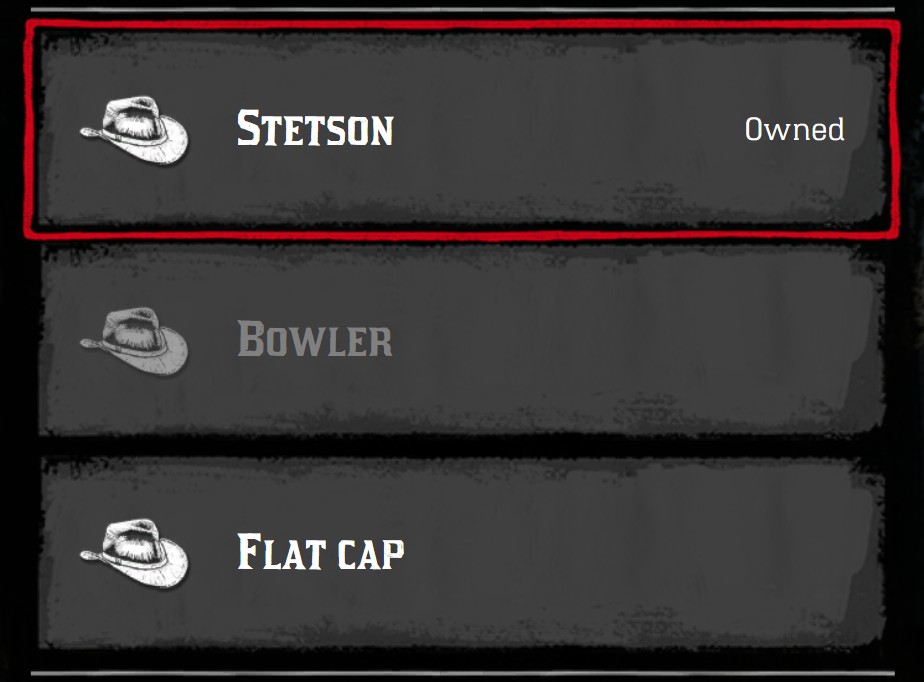
MenuItem:updateValue(), MenuClass:updateValue() and their deleteValue() save the change in Lua. MenuClass:push() sends all the saved changes to the NUI. It's the fastest way to update a displayed menu: only the changes are sent, and the cursor doesn't move.
local menu = jo.menu.create("hats", { title = "Tailor", subtitle = "Hats" })
local stetson = menu:addItem({ title = "Stetson", icon = "hats", price = { money = 12.5 } })
local bowler = menu:addItem({ title = "Bowler", icon = "hats", price = { money = 8 } })
menu:send()

-- Later, the player bought the Stetson
stetson:updateValue("textRight", "Owned")
stetson:deleteValue("price")
bowler:updateValue("disabled", true)
menu:push()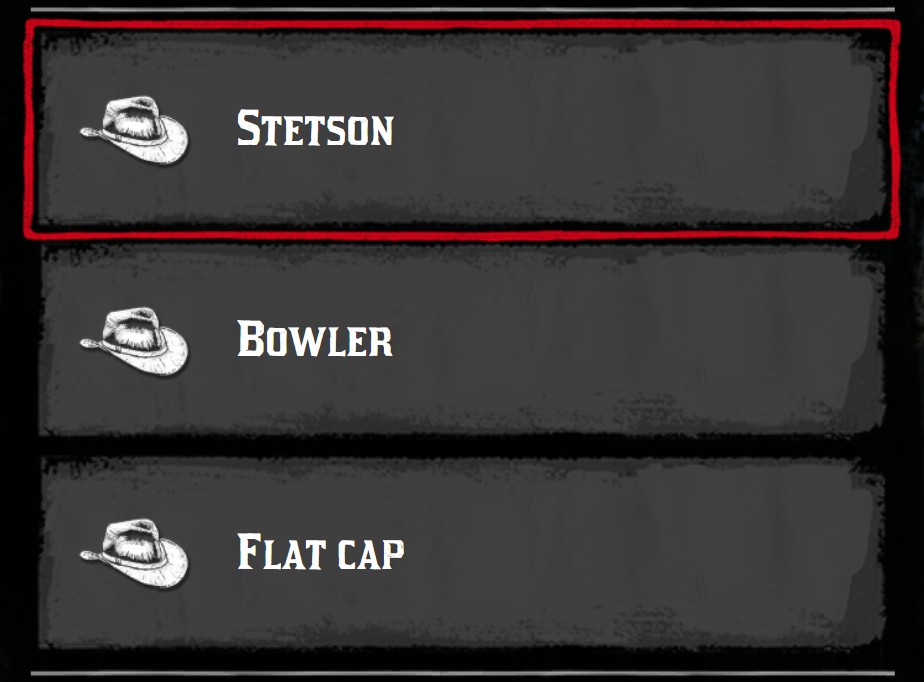
push()The keys can be a path, to change a nested value:
-- Move the first slider of the item to its 3rd value
stetson:updateValue({ "sliders", 1, "current" }, 3)
-- Change the title of the 2nd item, from the menu
menu:updateValue({ "items", 2, "title" }, "Bowler hat")
-- Change the subtitle of the menu
menu:updateValue("subtitle", "Hats (2)")
menu:push()
MenuClass:deleteItem() removes an item, and is sent with push() too.
WARNING
MenuItem:updateValue() and MenuItem:deleteValue() only work on the items returned by addItem(). For the other items, use menu:updateValue({ "items", index, key }, value).
Rebuild the menu
For bigger changes, like new items or a new order, send the whole menu again with MenuClass:refresh(). The cursor stays on the same item. If the menu is the current menu, onExit and onActive of the active item are fired again.
menu:addItem({ title = "Top hat", icon = "hats" })
menu:sort() -- sort the items by title
menu:refresh()
TIP
MenuClass:send() on a menu already sent does a refresh().
Move the cursor
MenuClass:setCurrentIndex()moves the cursor to an item.MenuClass:reset()moves the cursor back to the first item.