
👔 Clothing Store
Documentation relating to the jo_clothingstore.
1. Installation
jo_clothingstore works on all frameworks compatible with jo_libs (the list).
To install jo_clothingstore:
- Download the library: jo_libs
- Unzip the folder and drop it in your resource folder
- Download jo_clothingstore from your account.
- Unzip the folder and drop it in your resource folder
- Add this ensure in your server.cfg
ensure jo_libsensure jo_clothingstore
For RedEM:RP (old only)
You have to edit the keep the ensure of redemrp_clothing and replace it with this empty resource :
https://github.com/Jump-On-Studios/redemrp_clothing/releases
For VORP
To fix clothes and skin, you have to edit four files :
	LoadCharacterSelect(playerPed, value.skin, value.components)
	CachedSkin = value.skin
	canContinue = false
	ApplyFaceOverlays(value.skin)
	canContinue = true
	FaceOverlay("grime", value.skin.grime_visibility, value.skin.grime_tx_id, 0, 0, 0, 1.0, 0, 1, 0, 0, 0, 1, value.skin.grime_opacity)
	Wait(500)

	TriggerServerEvent("jo_libs:server:vorp:applySkinAndClothes", value.charIdentifier, playerPed)
	Wait(2000)
	IsPedReadyToRender(playerPed)

data.PedHandler = ClonePed(playerPed, false, false, false, false)ConfigShops.UseShops = false --turn off VORP clothing storefor RSG
The script is plug and play for RSG. You only have to disable the RSG clothing store and wardrobe.
RSG.Zones1 = {}
RSG.Cloakroom = {}⚠ Using clothes as items
If you want to use clothes as items. You have to create some items. The list of items is in Config.clothesItem variable in the config file items.lua.
Congratulation, the Clothing Store script is ready to be used!
2. Usage
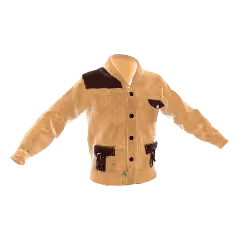
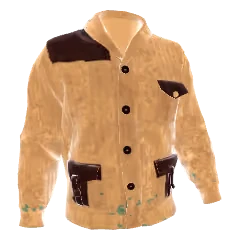
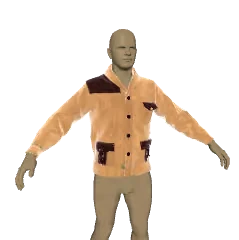
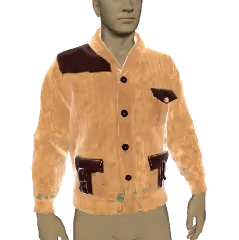
3. Configuration
The configuration files are located in the config folder within the resource. This folder contains two subfolders:
_default.lock/- Contains the default configuration files. Do not edit these files directly as they may be overwritten during updates.custom/- This is where you place your custom configuration files to override the defaults.
How to customize the configuration
- Navigate to
jo_clothingstore/config/_default.lock/ - Copy the file you want to modify (e.g.,
prices.lua) - Paste it into
jo_clothingstore/config/custom/ - Edit the copied file in the
customfolder
The script automatically loads files from custom/ first, and only uses _default.lock/ as a fallback. This system ensures your customizations are preserved when updating the script.
Default configuration files
Language Configuration
The script supports full translation through the language system. To override any text:
- Find the key you want to change in
config/_default.lock/lang.lua - Copy
lang.luatoconfig/custom/and add only the keys you want to override
Example - changing the store blip name and purchase notification:
Lang.blipStoreName = "Tailor Shop"
Lang.itemBought = "You purchased %s!"
Available translation keys include:
- Category names -
Lang.hats,Lang.coats,Lang.pants, etc. - UI text -
Lang.buy,Lang.save,Lang.close,Lang.myClothes, etc. - Prompts -
Lang.enter,Lang.exit,Lang.zoom,Lang.resell, etc. - Notifications -
Lang.noMoney,Lang.itemBought,Lang.outfitBought, etc. - Blips -
Lang.blipStoreName,Lang.blipWardrobe
4. For developers
Actions
Actions are one of the two types of Hooks. They provide a way for running a function at a specific point in the execution of scripts. Callback functions for an Action do not return anything back to the calling Action hook. They are the counterpart to Filters.
Below is a complete list of all available actions in the jo_clothingstore script.
Client initPrompt
Triggered when all prompts are initialized at store/wardrobe opening.
exports.jo_clothingstore:registerAction('initPrompt', function()
    -- Your code here
end)
Client LoopIn
Triggered every frame while the player is inside the clothing store or wardrobe menu.
-- @param promptDisplay - string: current prompt type being displayed ("buy", "select", "outfit", etc.)
exports.jo_clothingstore:registerAction('LoopIn', function(promptDisplay)
    -- Your code here
end)
Client PromptBuyCompleted
Triggered when the player completes a purchase action (after pressing the buy button).
exports.jo_clothingstore:registerAction('PromptBuyCompleted', function()
    -- Your code here
end)
Client switchPrice
Triggered when the player switches between payment options for an item.
-- @param priceIndex - int: index of the selected price option
exports.jo_clothingstore:registerAction('switchPrice', function(priceIndex)
    -- Your code here
end)
Client updatePreview
Triggered when the clothing preview is updated (when browsing items).
-- @param data - table: contains menu information and current item data
-- @param data.menu - string: current menu/category name
-- @param data.index - int: current item index
-- @param data.item - table: current item object
exports.jo_clothingstore:registerAction('updatePreview', function(data)
    -- Your code here
end)
Events
Client Equip all clothes
You can equip all clothes with this client event :
TriggerEvent('jo_clothingstore:resetClothes')Client Listen the closing of menu
You can grab the closing of the menu after the ped creation with this client event :
RegisterNetEvent('jo_clothingstore:client:endCreation', function()
end)
Client Open the store
Call from your own scripts (NPC, quest, interior, etc.) to open the clothing store UI.
local customStore = {
  useOutfitMenu = true,
  needInstance = false,
  useNPCClothesMenu = true,
  useClassicClothesMenu = true
}
TriggerEvent("jo_clothingstore:openStore", customStore)
-- or export
exports["jo_clothingstore"]:openStore(customStore)
useNPCClothesMenu and useClassicClothesMenu must be enabled if you want players to access the clothing purchase menus from a custom store.
Client Open the wardrobe
Event to open the wardrobe
--@param needInstance = true/false : Define if the wardrobe need personnal instance
TriggerEvent('jo_clothingstore:openWardrobe', needInstance)
--Or
exports['jo_clothingstore']:openWardrobe(needInstance)
Client Remove all clothes
You can remove all clothes with this client event :
TriggerEvent('jo_clothingstore:removeAllClothes')Client Use outfit
You can apply an outfit from his id to a player by trigger this server event (from client) :
TriggerServerEvent('jo_clothingstore:useOutfitId', id)Filters
Filters allow you to modify data or permissions synchronously at specific points in the script. Below is the complete list of jo_clothingstore filters and how to use them.
Server categoriesAccessible
Control which clothing categories are accessible to the player.
-- @param categories - table of category booleans
-- @param source - serverID of the player
exports.jo_clothingstore:registerFilter("categoriesAccessible", function(categories, source)
    -- Example: Disable accessories for all players
    -- categories['accessories'] = false
    return categories
end)
Server canAccessToNPCMenu
Control access to the NPC menu (require the NPC addon).
-- @param canAccess - boolean (default true)
-- @param source - serverID of the player
exports.jo_clothingstore:registerFilter("canAccessToNPCMenu", function(canAccess, source)
    return canAccess
end)
Server canAccessToSpecificClothes
Gate purchase of a specific cloth variation.
-- @param canAccess - boolean (default true)
-- @param source - serverID of the buyer
-- @param hashpreview - table containing menu/category/index/variation/data
-- @param price - price table currently selected
exports.jo_clothingstore:registerFilter("canAccessToSpecificClothes", function(canAccess, source, hashpreview, price)
    return canAccess
end)
Server canBuyOutfitItem
Control who can buy an outfit item.
-- @param canBuy - boolean (default true)
-- @param source - serverID of the player
-- @param outfit - table outfit data
-- @param sexe - "male"/"female"
-- @param name - string outfit name
-- @param price - table price data
exports.jo_clothingstore:registerFilter("canBuyOutfitItem", function(canBuy, source, outfit, sexe, name, price)
    return canBuy
end)
Server canCreateOppositeSexOutfit
Control whether a player can create an outfit for the opposite sex.
-- @param canCreate - boolean (default true)
-- @param source - serverID of the player
exports.jo_clothingstore:registerFilter("canCreateOppositeSexOutfit", function(canCreate, source)
    -- Example: force players to create outfits only for their current character sex
    return canCreate
end)
Server canUseItem
Control whether a clothes/outfit item can be used.
-- @param canUse - boolean (default true)
-- @param source - serverID of the player
-- @param metadata - table metadata on the item
exports.jo_clothingstore:registerFilter("canUseItem", function(canUse, source, metadata)
    return canUse
end)
Server updateListClothesInItem
Alter the list of item names used for clothes-in-item mode before registration.
-- @param clothesItem - table mapping category -> item name
exports.jo_clothingstore:registerFilter("updateListClothesInItem", function(clothesItem)
    return clothesItem
end)
Client canAccessToStore
Control whether the player can open a store prompt.
-- @param canAccess - boolean (default true)
-- @param store - table store config (book, ped, needInstance, etc.)
exports.jo_clothingstore:registerFilter("canAccessToStore", function(canAccess, store)
    return canAccess
end)
Client canAccessToWardrobe
Control whether the player can open a wardrobe prompt.
-- @param canAccess - boolean (default true)
-- @param wardrobe - table wardrobe config (location, needInstance, etc.)
exports.jo_clothingstore:registerFilter("canAccessToWardrobe", function(canAccess, wardrobe)
    return canAccess
end)
Client canSaveNewOutfit
Enable/disable saving or creating outfits from the menus.
-- @param canSave - boolean (default true)
exports.jo_clothingstore:registerFilter("canSaveNewOutfit", function(canSave)
    return canSave
end)
Client hideOrDisableClothes
Hide or disable specific catalogue entries.
-- @param state - number (1 show, 0 disable entry, -1 hide entry)
-- @param sexe - "male"/"female"
-- @param category - string category key
-- @param index - integer item index
-- @param variations - table of variations for that item
-- @param formattedPrices - formatted prices table
exports.jo_clothingstore:registerFilter("hideOrDisableClothes", function(state, sexe, category, index, variations, formattedPrices)
    return state
end)
Client updateHashpreviewBeforeBuy
Adjust the payload sent to the server before buying.
-- @param hashpreview - table containing menu/index/variation/data
-- @param currentData - current menu context/item
exports.jo_clothingstore:registerFilter("updateHashpreviewBeforeBuy", function(hashpreview, currentData)
    return hashpreview
end)
Client updateMenuPrompt
Override which prompt group is displayed while navigating menus.
-- @param promptType - string ("buy", "select", "outfit", ...)
-- @param data - current menu item data
exports.jo_clothingstore:registerFilter("updateMenuPrompt", function(promptType, data)
    return promptType
end)
5. Compatibility issues
RSG Fix rsg-bathing
Go in rsg-bathing\fxmanifest.lua line 24 and remove the rsg-wardrobe dependency
dependencies {
    'rsg-core',
    'rsg-appearance',
    'rsg-wardrobe'
}Go in rsg-bathing\client\client.lua line 367 and edit UndressCharacter function
UndressCharacter = function()
    local ped = PlayerPedId()
    local EquippedWeapons = {}

    EquippedWeapons = exports['rsg-weapons']:EquippedWeapons()

    for i = 1, #EquippedWeapons do
        RemoveWeaponFromPed(ped, EquippedWeapons[i])
    end
    TriggerEvent('rsg-wardrobe:client:removeAllClothing')
    TriggerEvent('jo_clothingstore:removeAllClothes')
end